In HLth.care time recording hangs off the shift. That is the whole difference.
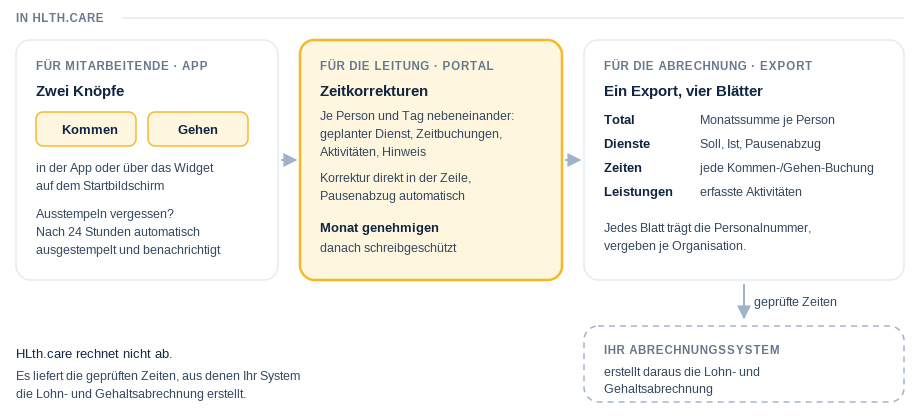
For staff: two buttons
Clock in and clock out — in the app, or straight from the widget on the phone’s home screen without opening the app at all. A green dot shows that the clock is running.
Anyone who forgets to clock out is clocked out automatically after 24 hours and notified, so the time can be corrected. Depending on the hospital’s setting, location is recorded along with the entry.
For the lead: check, correct, approve
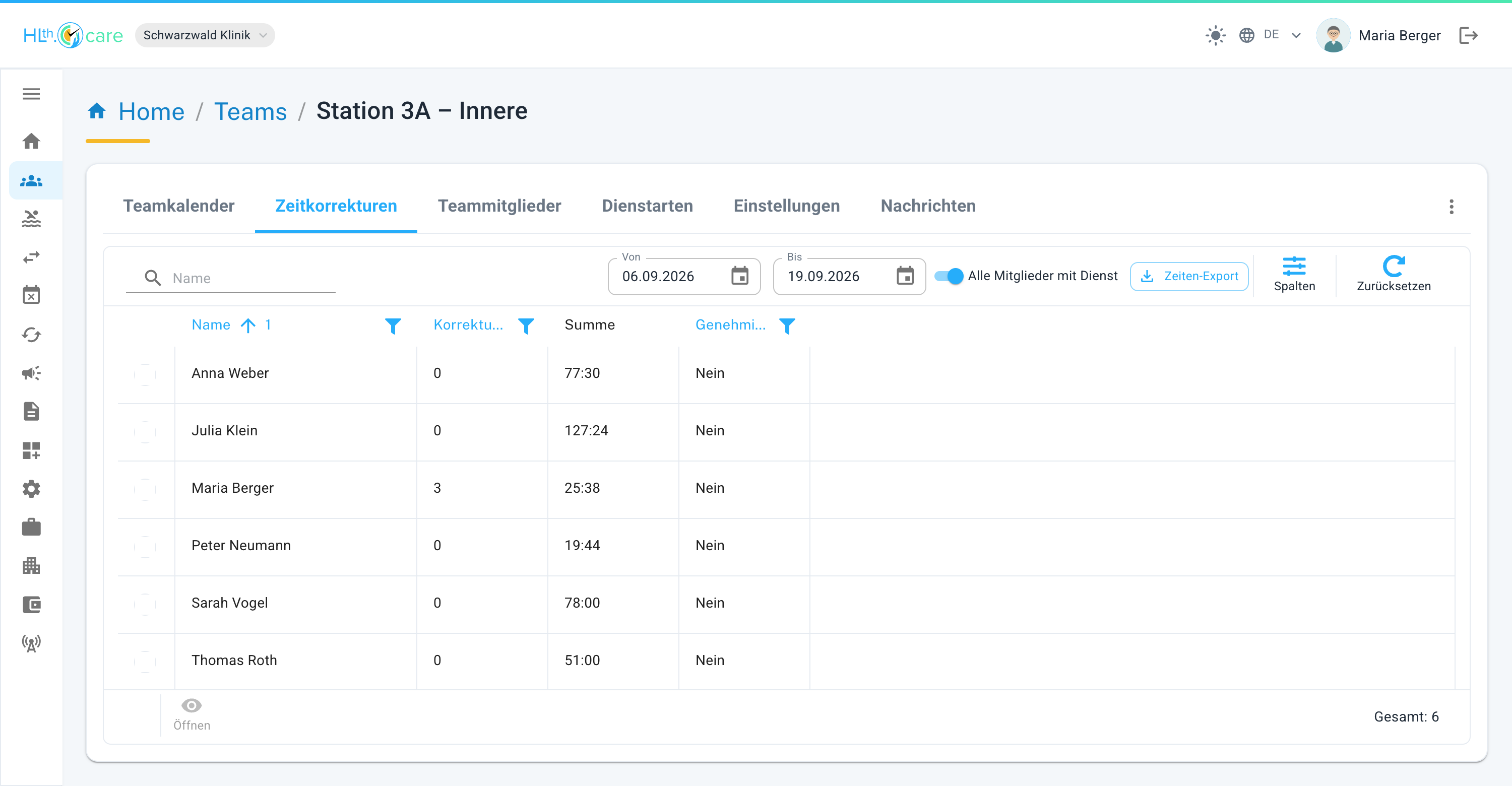
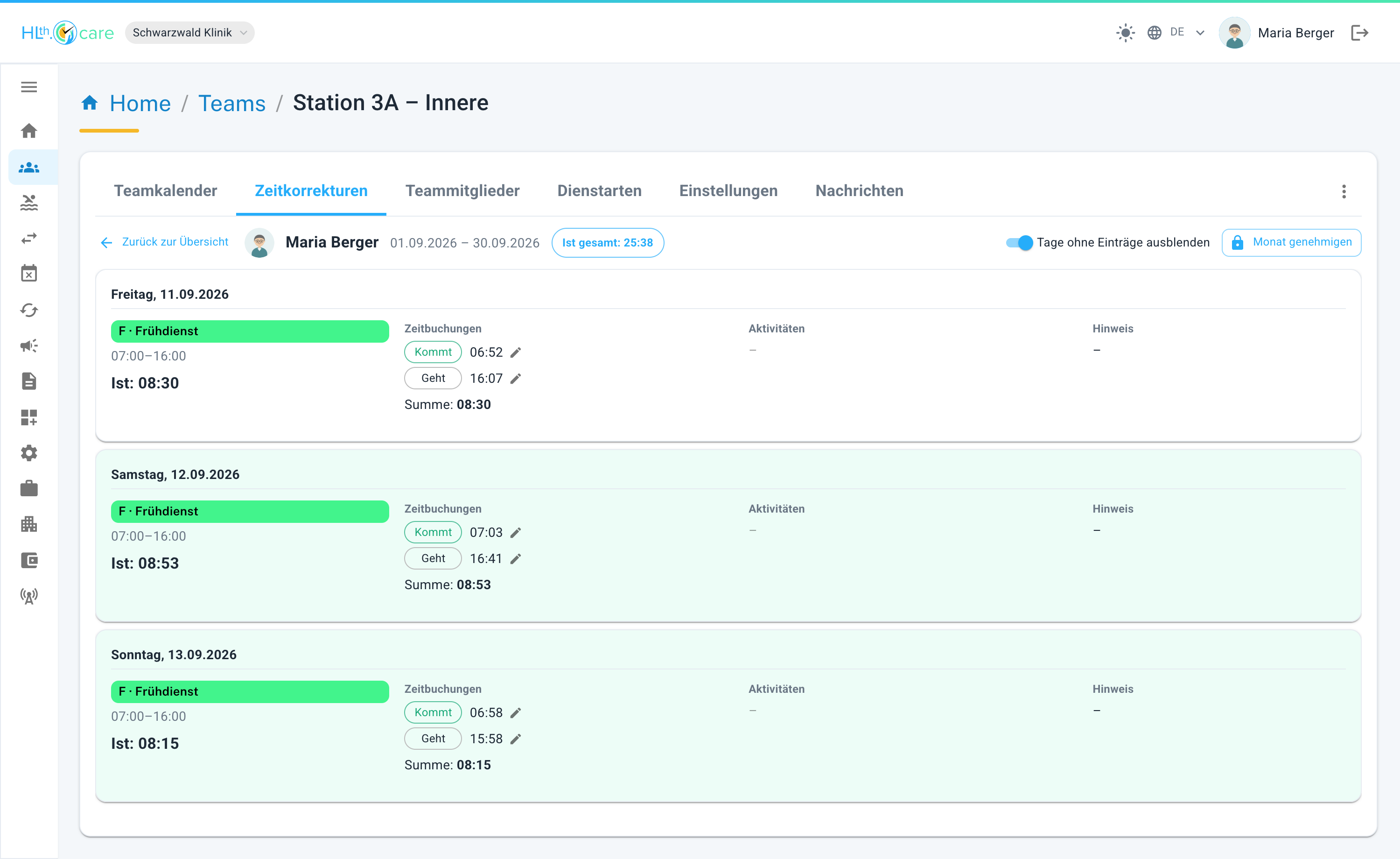
The time corrections tab shows, per person and day, side by side:
- the planned shift and the time actually counted,
- all the day’s time entries,
- the activities (breaks and other services),
- a note.
Corrections are made directly in the row. Once the month has been checked it is approved, and thereby write-protected.
Break deduction runs automatically from your hospital’s own table — from this many minutes worked, this many minutes deducted, across several bands. The highest matching band wins, not the sum of them.
A double click on a person opens her month day by day:
For payroll: an export with four sheets
| Sheet | Contents |
|---|---|
| Total | monthly total per person, with approval status |
| Shifts | every shift with target and actual hours, break deduction and absence marker |
| Times | every individual clock-in and clock-out entry |
| Services | the activities recorded |
Every sheet carries the personnel number, which is issued per organisation — the key your payroll system uses to recognise the person again.
Someone who was only there for a few days does not slip through. Short-notice cover, relief staff and pool assignments join the team, work shifts and leave again — and it is exactly these people whose hours most often get lost in practice, because they are no longer on any list. In HLth.care they stay in the time corrections and in the export for the period concerned, even long after they have left the team. The hours worked do not disappear with the membership.
HLth.care does not do payroll. It supplies the verified times your system produces the payslips from. Why that is the right division of labour is on Rostering plans, HLth.care steers.
What you should honestly know
These three points belong in every rollout training session, not in the small print:
- An incorrect entry can be corrected, but not deleted. Both values then appear in the export. So pull it before the approval and check it.
- A correction replaces the value in place. There is no side-by-side view of the original and the corrected entry.
- Approving a month is final. It cannot be undone, it applies per person and month, and it triggers no notification. Only approve once the month’s last shift has finished and been clocked out — an approval in the middle of a running entry blocks that entry from being closed.
Anyone who knows those three sentences gets no surprises from time recording.
Prerequisite
Time recording is switched on per organisation, in one of three modes: no recording, clock-in/clock-out, or clock-in/clock-out with location. Hospitals that record their times elsewhere leave it off and use HLth.care for steering only.