A pool that does not only exist on paper
Almost every hospital has a staff pool. It rarely fails for want of people; it fails for want of information. The ward does not know whether it will get anyone, and the person from the pool does not know until the evening before where she will be tomorrow. Both plan defensively, and the pool carries less than it could.
In HLth.care the pool request is a case with a status. The ward can see whether it was accepted. The person from the pool sees her assignment in her own roster, with the target team. And the pool lead assigns a whole month in one dialog, instead of in thirty separate conversations.
Across wards and sites
Because teams belong to the organisation, resources can be moved across ward boundaries without every lead having to telephone every other:
- One pool can serve several wards and several sites.
- A shift tender reaches selected teams, the whole organisation, or external professionals within a radius, as you choose.
- Travel assignments within a provider group run in the same flow as an internal tender — employed staff, clear terms, no agency fee.
→ Shift tenders · Travel nurses
Qualification, not availability alone
The digital professional profile holds occupational group, profession, skills and additional qualifications per person. A tender can carry the professions addressed and the skills required; the skills search finds specialists across the whole organisation, optionally restricted to those currently on duty.
For steering that means: you are not just filling a gap, you are filling the right gap with the right qualification — and you can evidence it.
What you learn about the absence situation
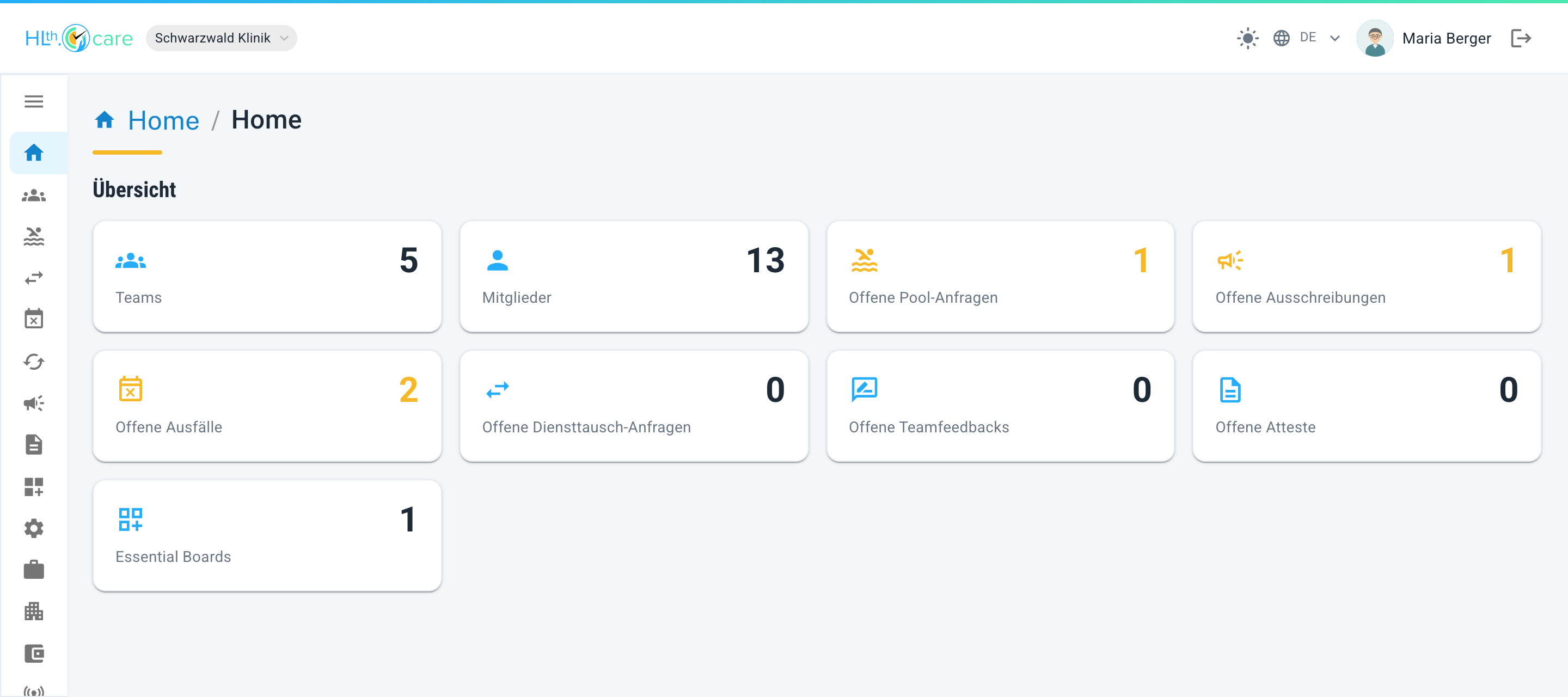
Every absence is a case with a status: open, in progress, handed to the pool, tendered, reported back. The home page shows the open tasks per area as tiles with counts — staff absences, pool requests, shift tenders, doctor’s notes, shift exchanges, team feedback.
This is not a controlling tool, it is a work list. But it is the first place where you can see where something is backing up, before anyone calls.
The roles you need for this
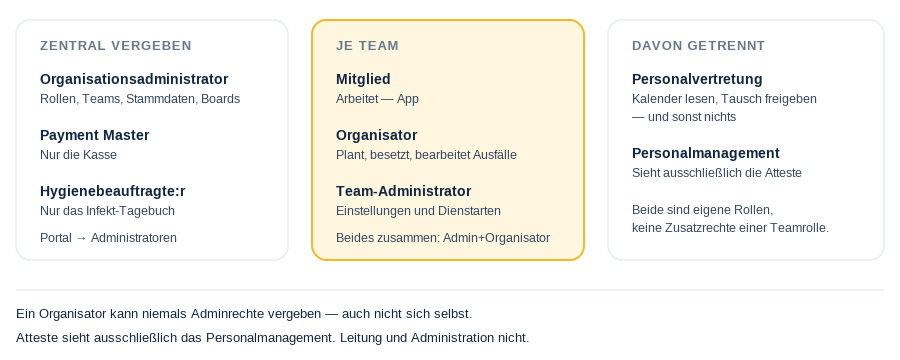
| Role | What for |
|---|---|
| Organizer | The operational core: team calendar, absences, pool, tenders |
| Team administrator | Settings and shift types — deliberately separate from planning |
| Organisation administrator | Assign roles centrally, approve teams, master data |
| HR manager | Sees the doctor’s notes and nothing else |
| Staff rep | Read the calendar and approve shift exchanges — nothing more |
Separating team administrator from organizer is deliberate: whoever writes the roster does not also change the rules it is planned by along the way.
The point where it will stick in your hospital
Expect the change not to fail on the software but on two habits:
The lead who keeps phoning, because “I know my colleague can do it”. That is human, and it destroys the advantage — the value comes from asking everyone suitable at the same time.
The incomplete profile. Anyone who has not finished her profile and privacy settings is not found when teams are being invited. That is the most common stumbling block of the first few weeks, and a broadcast solves it.